Your music and videos,
in one place.
A free, local-first player for macOS, Windows and Linux. Point it at your folders, sing along with live lyrics, and carry your playlists to every computer.
MIT licensed · no account · no ads · no tracking
Plays MP3, FLAC, WAV, M4A, AAC, OGG, OPUS, WEBA audio, MP4, M4V, WEBM, MOV, MKV, OGV, LRC video and lyric files.
- MP3
- FLAC
- WAV
- M4A
- AAC
- OGG
- OPUS
- WEBA
- MP3
- FLAC
- WAV
- M4A
- AAC
- OGG
- OPUS
- WEBA
- MP4
- M4V
- WEBM
- MOV
- MKV
- OGV
- LRC
- MP4
- M4V
- WEBM
- MOV
- MKV
- OGV
- LRC
How it works
Set up in about a minute.
No account to make and nothing to upload. BeatNode reads the files you already have.
- 0:00
Add your folders
Point BeatNode at your music and video folders. New files show up on their own, removed ones disappear.
- 0:30
Watch it fill up
Tags and covers are read from the files, video thumbnails are made on import, and missing artwork can be looked up.
- 1:00
Press play
Pick a synced folder too, and your playlists follow you to your other computers.
Features
Feels at home on your desktop.
Fast, good looking, and made for the files you own.
Library
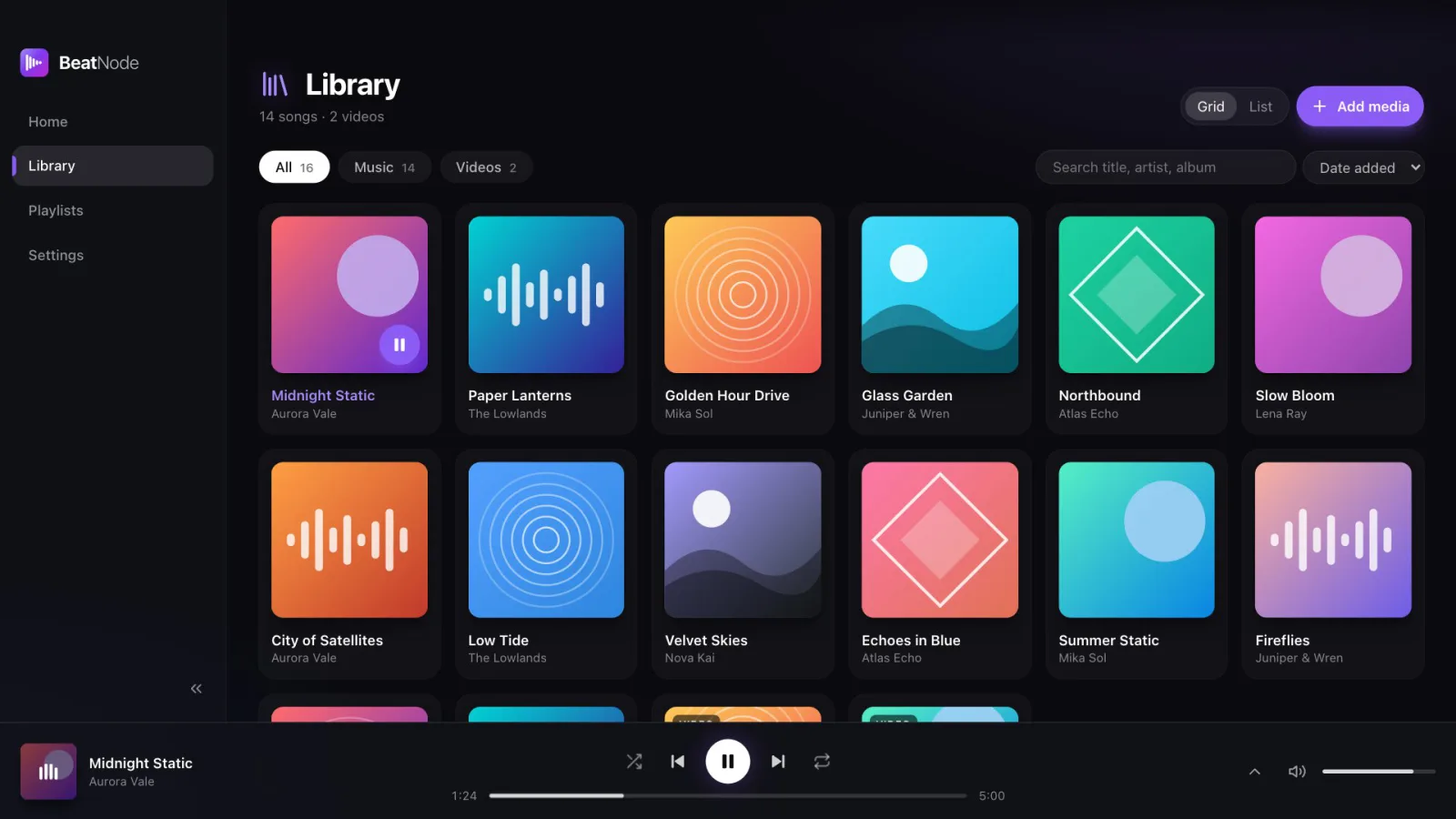
Music and videos, one library
Songs and videos live side by side. Filter by type, search by title, artist or album, and sort the way you like.
- Grid with covers or a compact list
- Watched folders that stay up to date
- Unplugged drive? The scan waits instead of wiping tracks
Lyrics
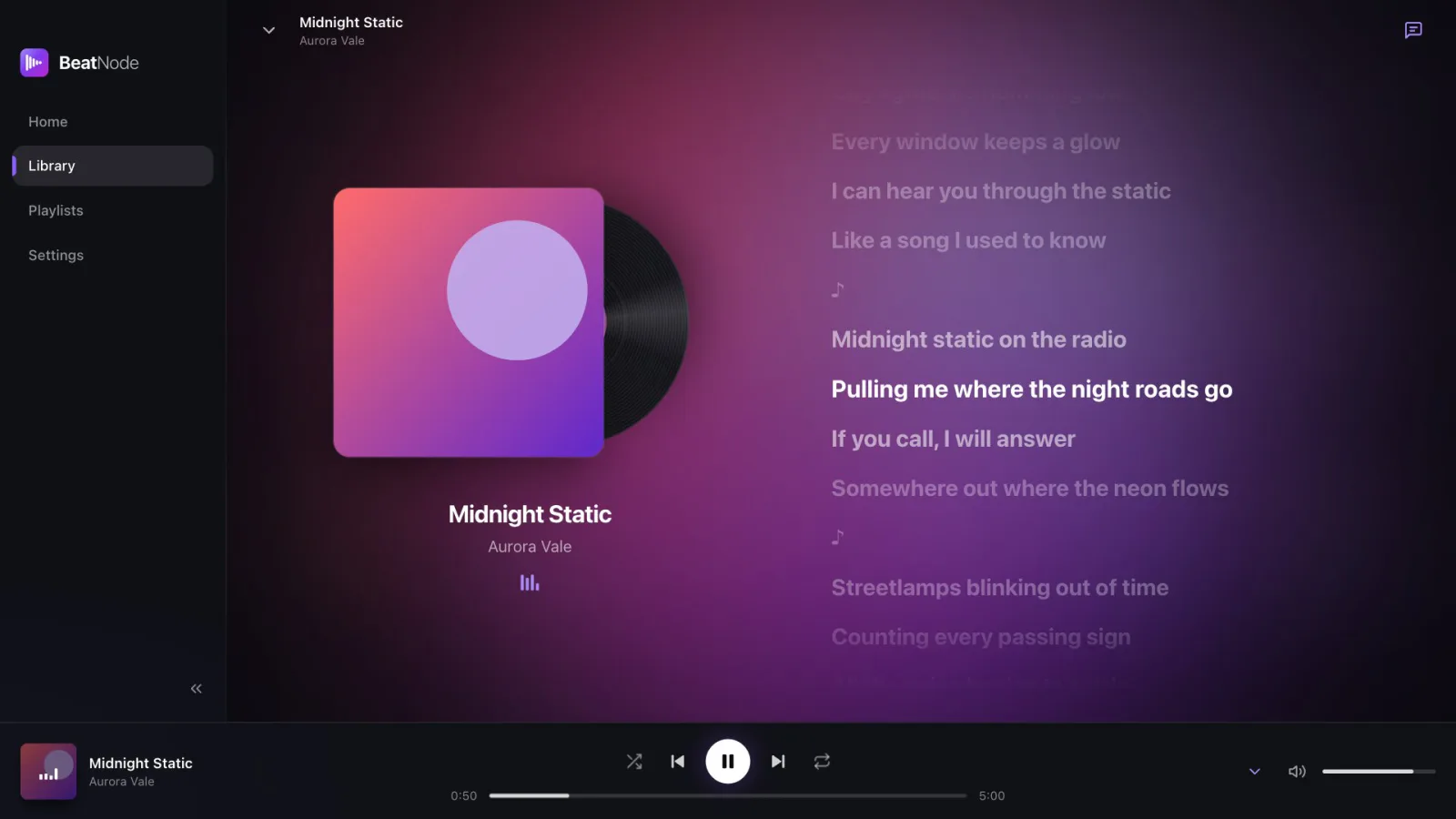
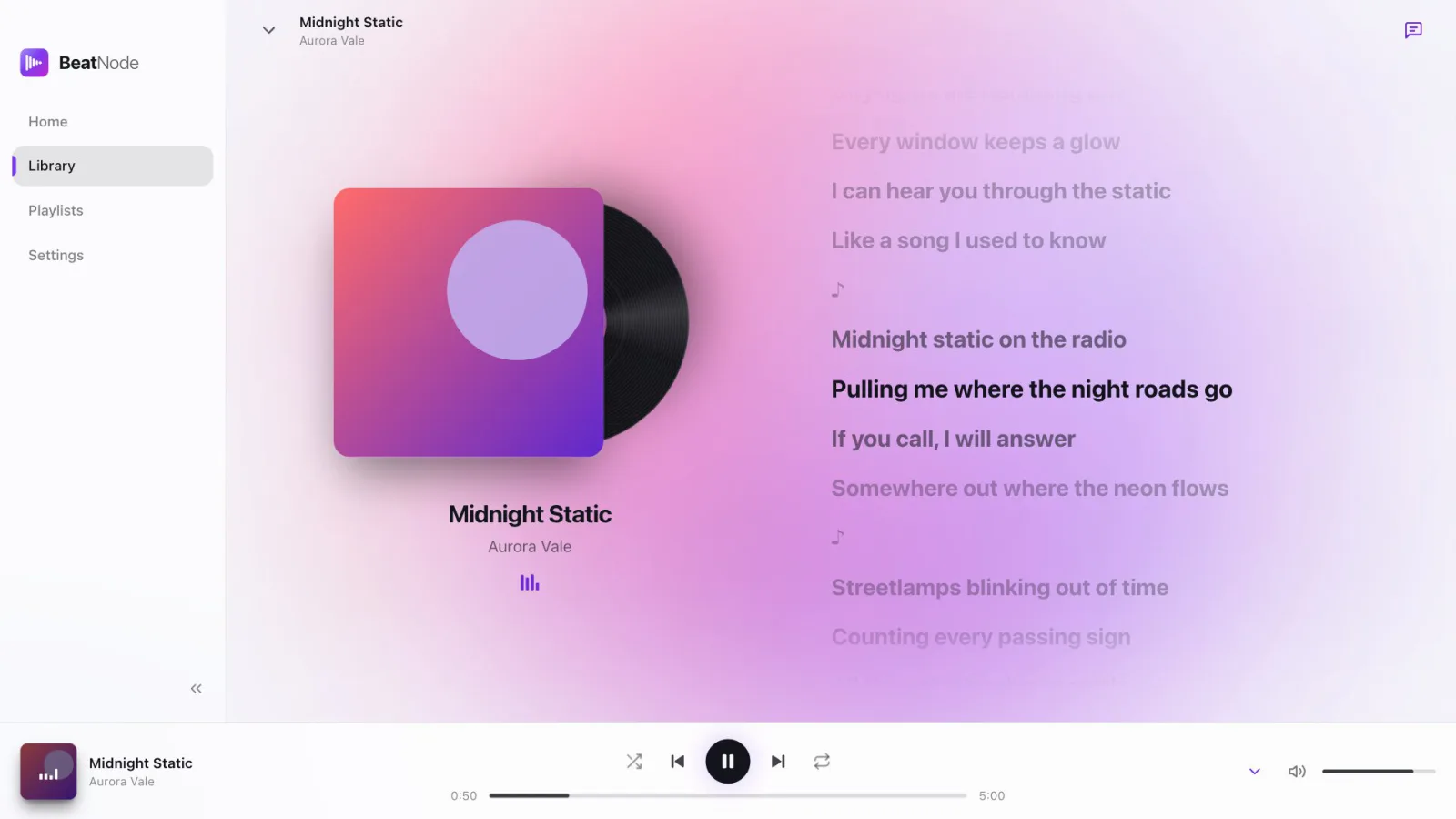
Lyrics that follow the song
Now Playing shows time-synced lyrics, line by line, from a .lrc file next to the song, the song's own tags, or the LRCLIB catalog.
- Spinning record next to the cover
- Nudge the timing when lyrics run early or late
- Works for untagged files named Title - Artist
Home
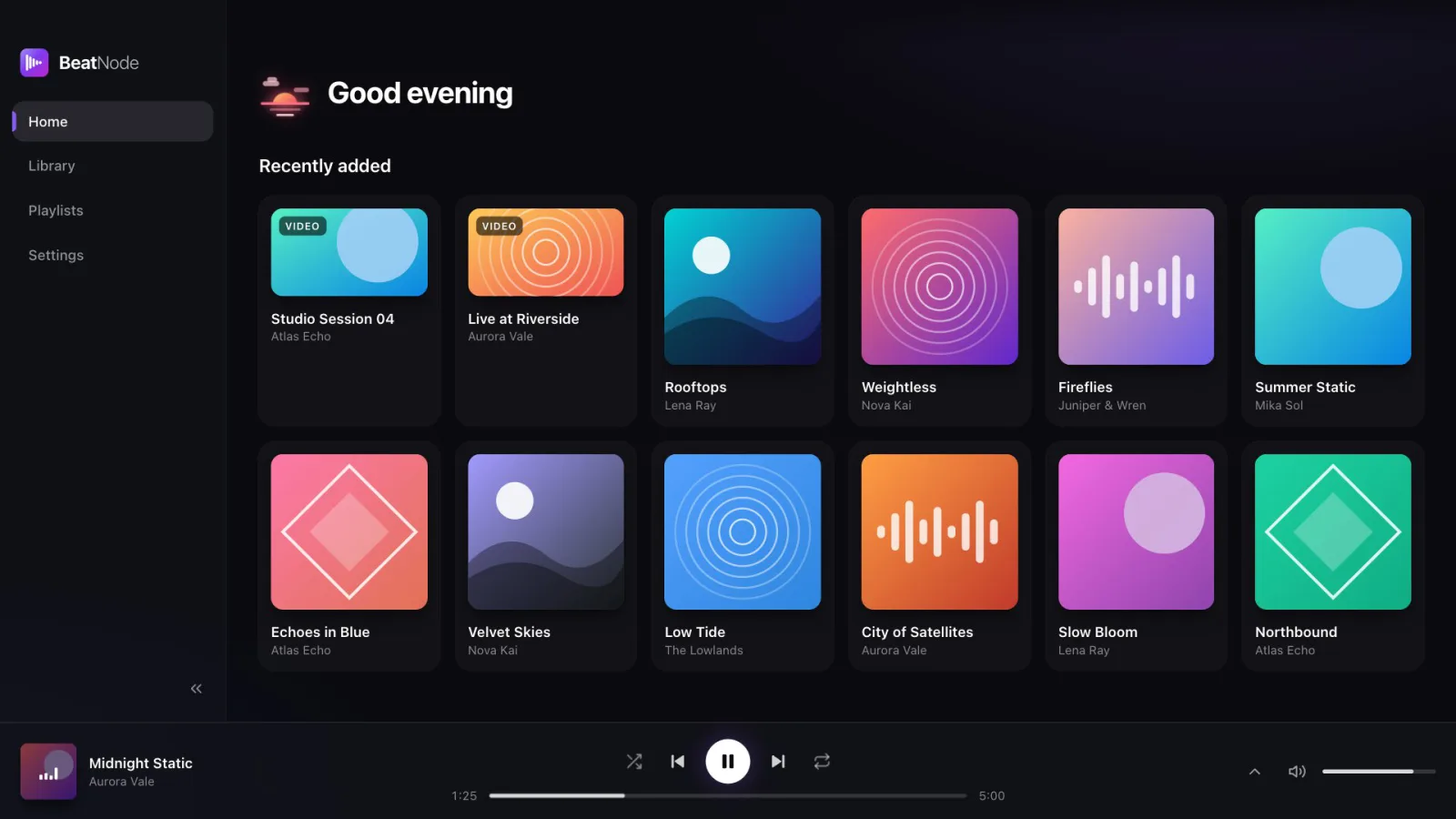
Pick up where you left off
A greeting that changes with the time of day, everything you added lately, and an offer to continue the last song when you open the app.
- Recently added songs and videos
- Continue where you left off on launch
- A notice when watched folders bring in new media
Playlists
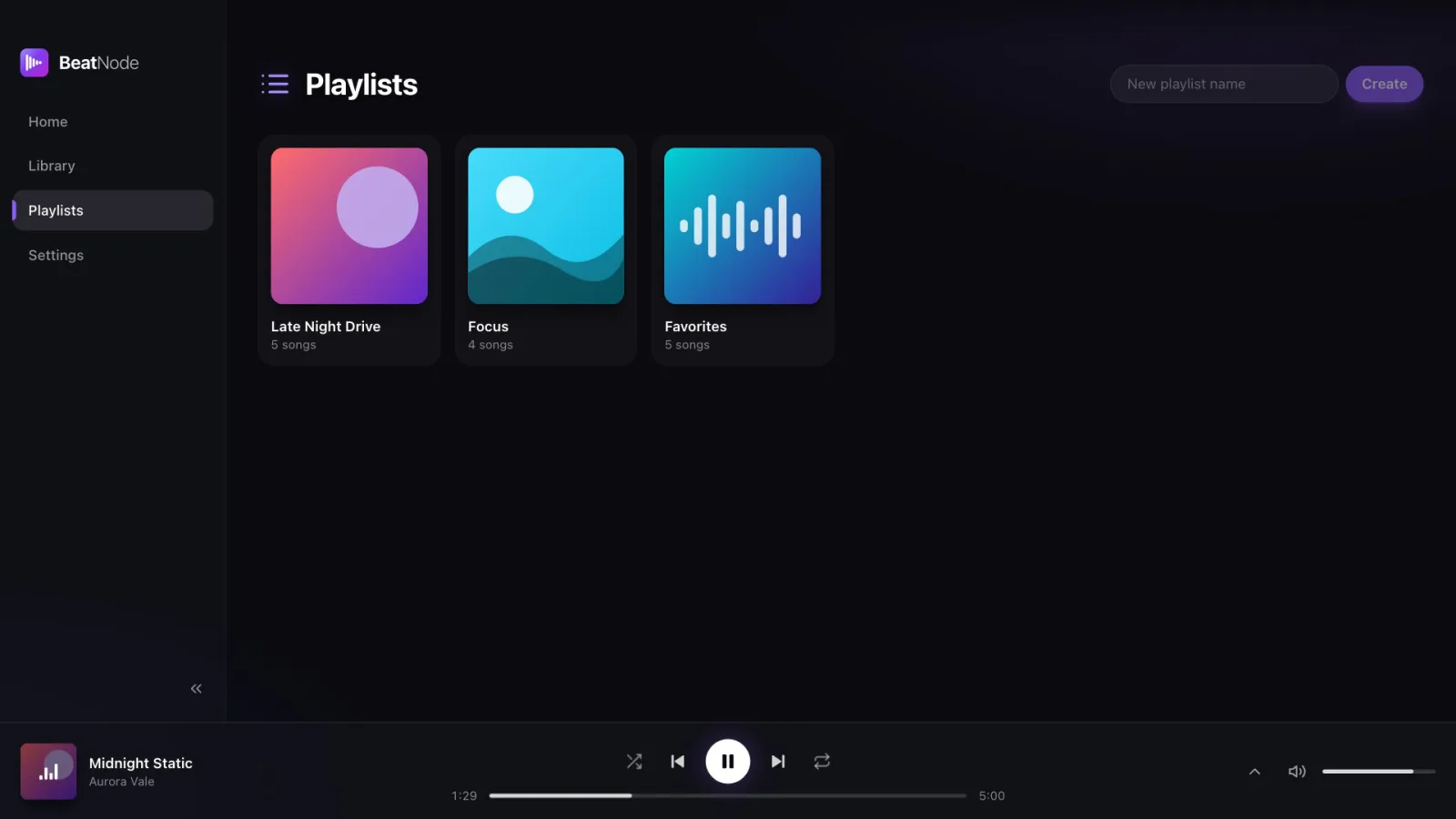
A playlist for every mood
Make a playlist in a second and add songs from any track's menu. Songs are remembered by artist, title and album, so playlists still work on another computer.
- Create, rename and reorder
- Add from the three-dot menu on any track
- Shuffle, and repeat all or one
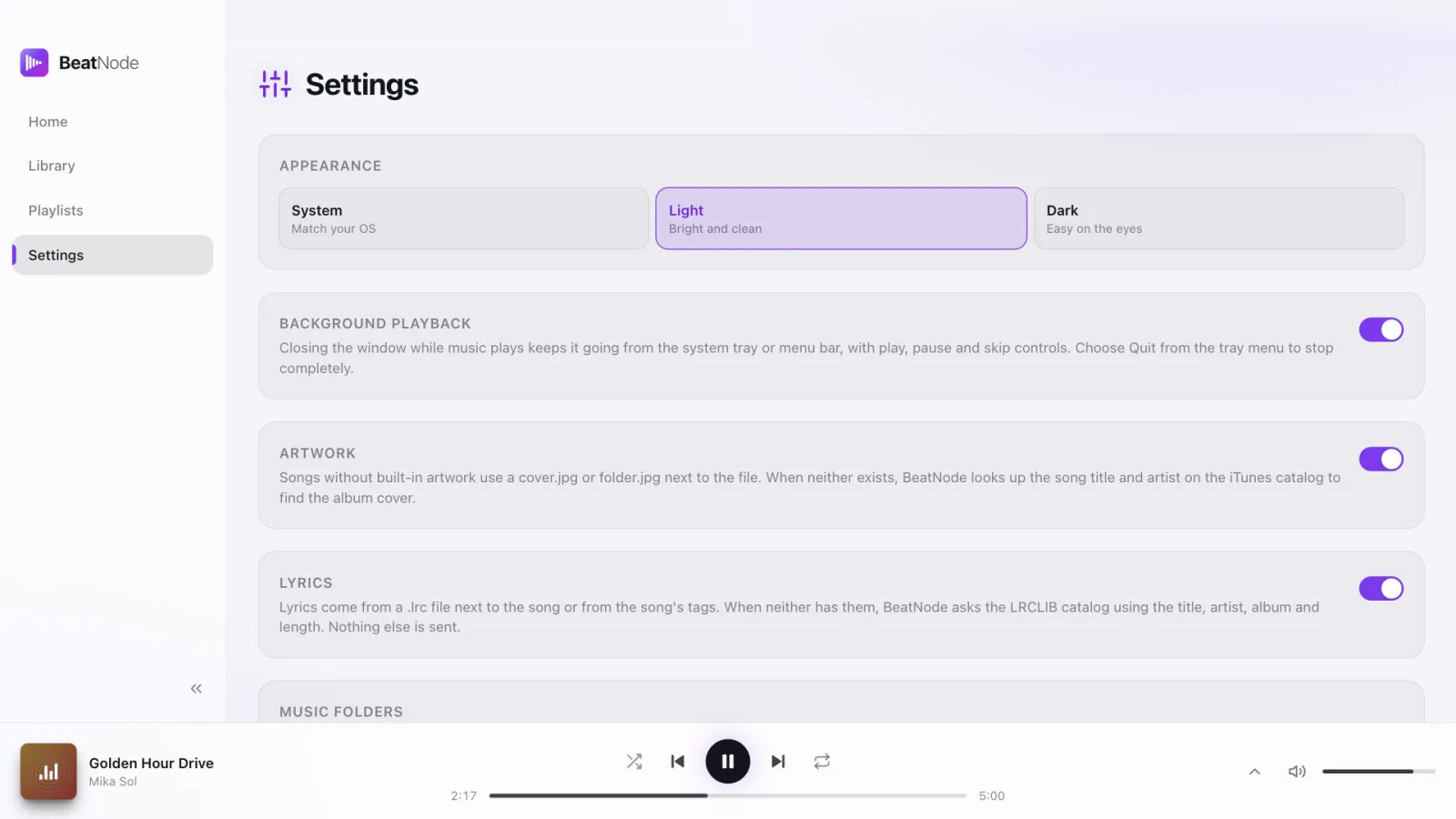
Settings
You decide what goes online
Artwork and lyrics lookups are the only things that ever reach the internet, and each one has its own switch.
- Light, dark or follow the system
- Keep playing from the tray when the window closes
- Watched folders and the sync folder in one place
Karaoke
Turn any song into a sing-along.
Karaoke mode takes the vocals out of the song you're playing, right on your computer. Slide it from a little quieter to almost gone, and sing as the lyrics light up.
Midnight Static
Aurora Vale
- Every window keeps a glow
- I can hear you through the static
- Midnight static on the radio
- Pulling me where the night roads go
- If you call, I will answer
Playlist sync
Your playlists, on every computer.
Pick any folder that syncs: Dropbox, iCloud Drive, Syncthing, even a USB stick. BeatNode keeps one small file there and merges changes from each machine.
Late Night Drive
3 songs
- Midnight StaticAurora Vale
- Paper LanternsThe Lowlands
- Glass GardenJuniper & Wren
Late Night Drive
3 songs
- Midnight StaticAurora Vale
- Paper LanternsThe Lowlands
- Glass GardenJuniper & Wren
Newest edit wins
Each playlist keeps its own edit time, so changes from two machines merge cleanly.
Deletes follow too
A removed playlist stays as a marker for 30 days, so it goes away everywhere.
Matched by tags
Songs are found by artist, title and album, not by file path, so different folders still line up.
And more
Small things that add up.
Plays almost anything
Audio and video in the formats you actually have.
Follows system volume
Slider and mute match your computer, volume keys included.
Media keys
Play, pause and skip from your keyboard, headphones or the system's Now Playing.
Video panel
Videos open in their own panel with fullscreen, and pause when you close it.
Covers found for you
Embedded art first, then a cover.jpg or folder.jpg next to the file, then an optional lookup by title and artist.
Quick to open
One SQLite file holds the library, so big collections open fast.
Collapsible sidebar
Fold it down to icons when you want more room for covers.
Open source, MIT licensed
Read it, fork it, learn from it or build on it. Issues and pull requests are welcome.
Electron · React · TypeScript · SQLite · Tailwind CSS
Background playback
Close the window, keep the music.
BeatNode keeps playing from the tray or menu bar. Its icon dances while a song plays, and a small player pops up with play, pause and skip.
Golden Hour Drive
Mika Sol
Keyboard
Hands on the keys.
Everything you do while listening has a shortcut.
- SpacePlay / pause
- ←Back 5 s
- →Forward 5 s
- ↑Volume up
- ↓Volume down
- MMute
- FFullscreen video
- EscClose Now Playing
Try them here, the keys light up as you press.
Local first
No account. No server of ours.
Your files and playlists stay on your computer. BeatNode only plays files you picked or that are in your watched folders, and the code is open for anyone to read.
What ever leaves your computer
- Artwork lookup
- Title and artist, to the iTunes catalog
- Lyrics lookup
- Title, artist, album and length, to LRCLIB
- Your music and videos
- Never
- Your playlists
- Only to the sync folder you pick
Light, dark or system
Bright by day. Easy on the eyes at night.
Drag the handle
Follow your computer's theme or pick one. The Home greeting changes with the time of day.
FAQ
Questions, answered.
Is BeatNode free?
Yes. It is free, with no ads, no subscription and no account. The code is open source under the MIT license.
Which computers does it run on?
macOS on Apple Silicon, Windows (x64) and Linux as an AppImage.
Why does my computer warn me when I open it?
The installers are not code signed yet, so macOS and Windows show a warning the first time. The steps to open it are under Download below.
Does it stream music?
No. BeatNode plays the music and video files you already have on your computer or drives.
Does it need the internet?
No. Everything works offline. The only online parts are the optional artwork and lyrics lookups, and you can switch each one off in Settings.
How does playlist sync work?
Pick a folder that syncs, like Dropbox, iCloud Drive or Syncthing, on each computer. BeatNode keeps one beatnode-sync.json file there, and the newest edit of each playlist wins. Only playlists sync, not the media files.
Some videos don't play. Why?
Video support is whatever Chromium can decode: H.264/AAC mp4 and VP8/VP9 webm play well. Some mkv files with HEVC video or DTS/AC3 audio may not, and embedded subtitles are not shown yet.
Where do I report a bug or ask for a feature?
Open an issue on GitHub. Pull requests are welcome too.
Bring your library home.
Free for macOS, Windows and Linux. Add a folder and your music is ready in seconds. v1.2.7
macOS
Apple Silicon · .dmg · 101 MB
Download for macOSFirst time: Right-click the app and choose Open, or run xattr -cr /Applications/BeatNode.app once.
Windows
x64 · .exe installer · 81 MB
Download for WindowsFirst time: In the SmartScreen dialog click More info, then Run anyway.
Linux
x64 · .AppImage · 112 MB
Download for LinuxFirst time: Run chmod +x BeatNode-Linux-*.AppImage, then open it.